
Recovering an Unresponsive SSH Session
Recovering an Unresponsive SSH Session. An unresponsive SSH session is one of two things: the network path has stalled (bytes you type never reach the host) or the remote shell itself is wedged (the connection is fine, but the program reading stdin stopped reading). Tell them apart with one test — open a second connection to the same host: if it works, the first session’s shell or program is stuck; if it also hangs, the path is the problem. Recovery then follows the diagnosis: kill and reattach for path stalls (if your processes are owned below the session), break the wedged program for shell-level freezes, and restructure ownership the way daemon-owned sessions such as Ferryx’s are built — so the next freeze costs you nothing.
Symptoms that separate stall from freeze
Four signals, gathered in two minutes:
The second-connection test (decisive). From another terminal or the machine’s console: ssh in again, or ping the host. A healthy second connection while the first sits frozen indicts the first session’s process — its stdin loop is blocked, its terminal is stopped (^S), or it is waiting on something that will never come. A second connection that also hangs points at routing, DNS, the host’s load, or middleboxes — the path, not your pane.
Keystroke echo behavior. Type blindly in the frozen session. Local echo absent entirely (not even the characters your client could display locally) with no remote echo after seconds = path stall: the bytes left your keyboard and nothing came back. Characters appearing (local echo) but no shell response = the connection is alive and the remote side isn’t reading — a freeze. Terminal flow control (Ctrl-S freezes output on many setups; Ctrl-Q resumes) masquerades as both and is worth ruling out first with a quick Ctrl-Q.
TCP-level observation. ss -tnp | grep <pid> on your client (or watching the connection with tcpkill/packet capture) shows whether the socket is ESTAB with traffic trickling or wedged with zero movement. An established-but-silent socket during a stall usually means the remote window filled and the remote application stopped consuming — circling back to a frozen reader.
What the host is doing. If you have a second session: uptime (load spike from your own build?), dmesg/logs for OOM kills, and a glance at the frozen process’s state with ps -o stat,command — a T (stopped, often job-control or SIGTSTP mishap) or an D (uninterruptible I/O wait, typically NFS or a stalled disk) each dictate a different fix than a plain S sleeping process that simply stopped reading stdin.
Recovery ladder from cheap to drastic
Work down the ladder; stop when the session responds:
- Resume output flow.
Ctrl-Q. Ten seconds, and the classic false freeze — output paused by XOFF — resolves instantly. Do this before anything else; diagnosing a flow-controlled pane as a network stall wastes the next ten steps. - Wake the path. If the second-connection test passed but the first socket is silent, the path may be idling against an aggressive NAT/firewall timeout. Wait out one keepalive interval (
ServerAliveIntervalkicks in), or trigger traffic by opening another channel to the same host (a second SSH, an HTTP request through a tunnel) — sometimes only one flow was reaped while others live. - Interrupt the wedged reader. With a second connection: find the stuck process (
psagainst your TTY or user) and sendSIGCONTif stopped (Tstate), orSIGINTto the specific program — NOT to the shell — so your session’s parent shell survives and scrollback stays. If it was a pager/editor confusion (lesshung on input nobody sends), interrupting just that process usually drops you back to a live prompt. - Suspend instead of killing. If the frozen program holds state worth keeping and reacts to
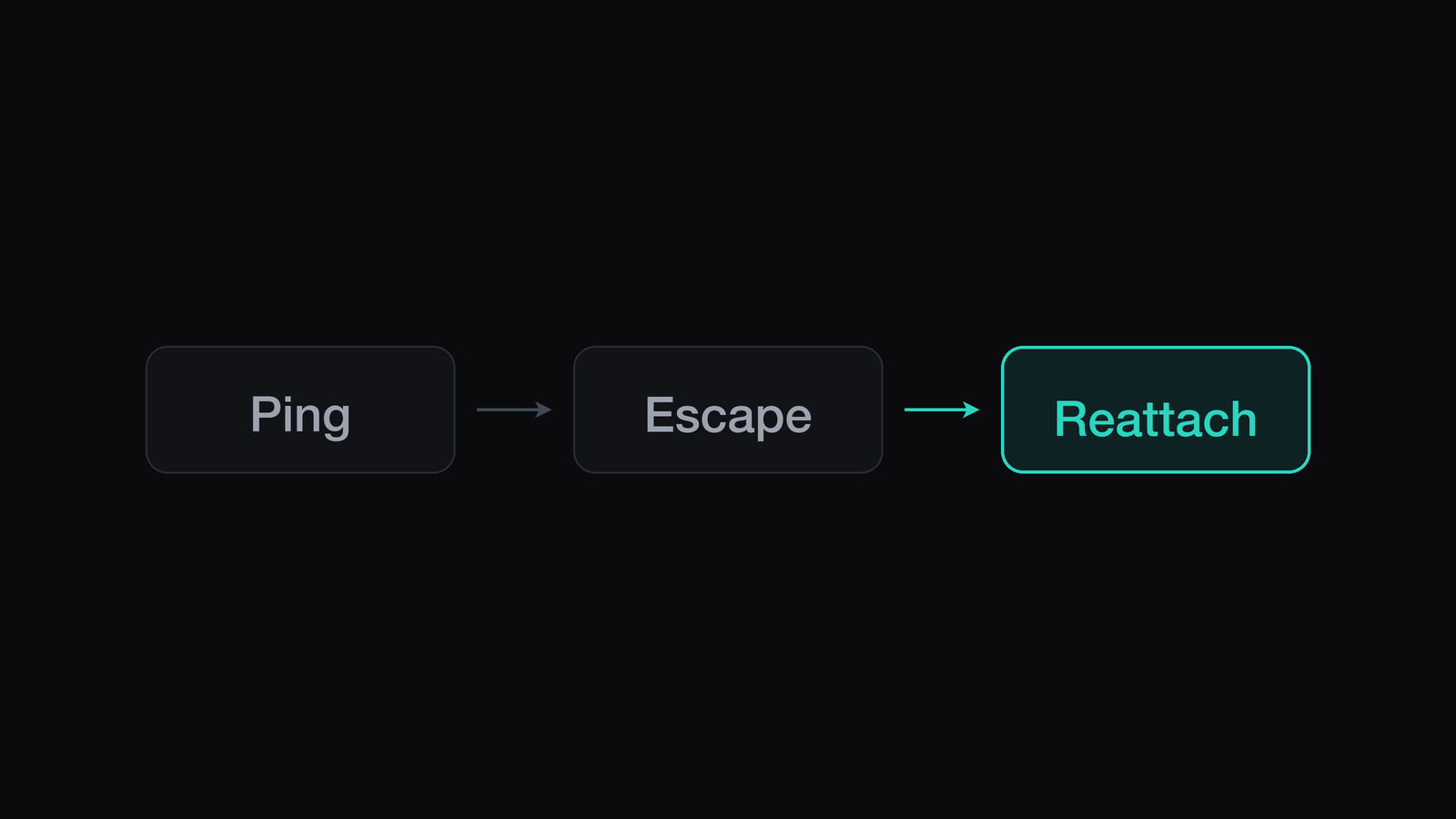
SIGTSTP, stop it (^Z,kill -TSTPfrom the second session), let the shell breathe, then decide: resume it, orbg/disown and let it run while you recover interactively. - Tear down and reattach — but only reattach to owned sessions. Kill the frozen client (
~.escape sequence, orkillyour client process). If your real work runs under a multiplexer or daemon below the SSH shell, a fresh connection plus attach brings it back with state intact — this is the payoff for the ownership work described in keep-alive patterns. If the work was a bare child of the dead shell, step 5 is data loss; steps 1–4 were your only window. - Last resort: reboot the host. Reserved for uninterruptible
D-state freezes from dead storage or kernel wedges — the recovery that proves the session model was wrong, because everything below the kernel is gone regardless of what you wished were owned elsewhere.
Preventing the next freeze
The ladder recovers a session; prevention removes the categories:
- Kill flow-control surprises at setup:
stty -ixonin shells whereCtrl-Sis never a feature you asked for — one class of false freezes gone permanently. - Own sessions below SSH (multiplexer or daemon) so step 5 becomes free and repeatable rather than terrifying — the single highest-leverage change on this list.
- Set keepalives both ends (
ServerAliveIntervalclient,ClientAliveIntervalserver) so idle timeouts are decided by your policy, not a middlebox’s. - Watch for the load you cause: agent fleets triggering OOM or thrash make every session on the host look frozen. If freezes correlate with your own parallel runs, the fix is admission control on the fleet, not SSH tuning — the daemon observability post shows the host-level signals worth graphing.
- Repair the scary path when it is cheap: once, deliberately kill a client against owned sessions and confirm reattach. A rehearsed step 5 stays a step; an un-rehearsed one becomes a Slack panic.
FAQ
The connection says ESTABLISHED but nothing responds — is the network down?
Not necessarily. ESTABLISHED with zero data movement usually means the remote application stopped reading from its side: your bytes reached the host, filled the receive window, and stalled behind a wedged process — a freeze, not a path failure. The second-connection test settles it: a fresh SSH landing you a prompt implicates the old session’s reader, not the network.
I pressed Ctrl-S and my terminal died (or went blank) — what happened?
That is XOFF flow control: Ctrl-S pauses terminal output at the tty layer and it looks exactly like a hang. Send Ctrl-Q (XON) and the pane resumes mid-stream with nothing lost. To prevent recurrence, drop ixon from your tty settings (stty -ixon) so the keypress never pauses output again.
Should I kill the frozen process or the SSH client?
Kill the program first (via a second session — kill -INT <pid> on the wedged reader), keeping the shell and its scrollback alive; that usually returns you to a responsive prompt with history intact. Killing the client works too, but it discards the pane’s scrollback and — if your work was a child of that shell rather than of a lower layer — ends the work itself. Program, then shell, then client, in that order.
How does session ownership change SSH freeze recovery?
It converts the last rung of the ladder from “recovery with risk” into a routine: sessions owned by a multiplexer or daemon below SSH survive any client-level freeze or kill, so tearing down a wedged connection and reattaching costs nothing but seconds. Scrollback, running agents, and pane identity restore because they were never in the connection to begin with — the ownership model is documented in the architecture overview.