
Mosh vs SSH for Long-Running Agent Sessions
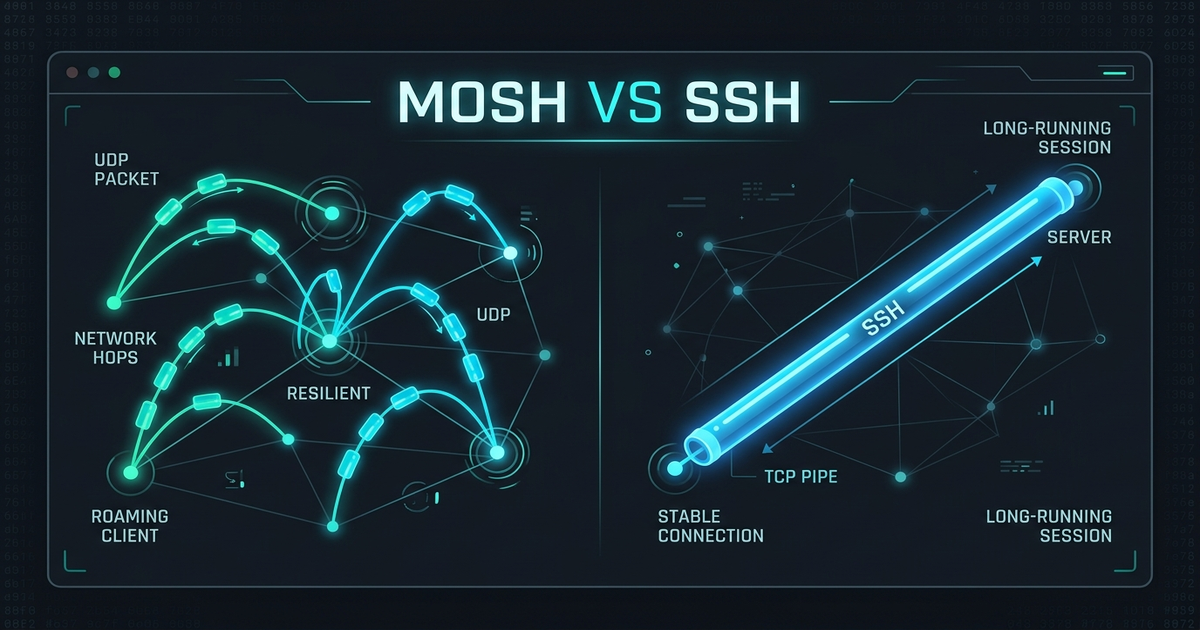
Mosh vs SSH for Long-Running Agent Sessions. Mosh replaces the TCP session with a state-synchronized UDP protocol, so the terminal survives IP changes, laptop sleep, and Wi-Fi roaming without dropping — where SSH over TCP tears down the moment the path breaks. For long-running coding agents the practical split: Mosh wins when your connection is the fragile element (travel, hotspots, moving between networks), while SSH plus an ownership layer — tmux, or a Ferryx-style daemon — wins when the session must be reattachable from many clients (servers, browsers, phones), because Mosh’s roaming advantage stays tied to one client identity per session.
What Mosh changes about connection state
SSH’s contract is unforgiving: a TCP connection carries the terminal, so any interruption — carrier switch, NAT timeout, sleep — breaks the stream, and the remote shell receives hangup. Interactive users suffer a reconnect delay; un-shepherded agents die.
Mosh’s design inverts the model in three specific ways. State sync, not byte stream: the client and server converge on terminal state (screen contents) rather than piped bytes, so a lost packet is repaired by the next sync instead of corrupting the stream. UDP with roaming: when the client’s IP changes — new Wi-Fi, cell handoff — the session simply follows the new address; no reconnect ceremony, no lost scrollback position. Prediction layer: locally predicted keystrokes render immediately and reconcile with server echo, which is what makes typing feel instant even on high-latency links.
For an agent workflow, the headline benefit is real: your phone or laptop moves networks mid-run, and the pane you were watching stays exactly as it was. The session did not drop because you changed networks — the viewport traveled with you.
Where Mosh does not help agent workflows
Three boundaries matter more than the roaming headline suggests.
One client, one session. Mosh sessions are bound to the launching client; there is no “attach from somewhere else” the way tmux or a daemon provides. If your phone connects, your laptop cannot grab the same live pane — it is not a multiplexer, and deliberate non-multiplexing is part of its small design. Fleets of agents each need their own Mosh process, tracked outside the tool.
The server still needs Mosh. Reachability assumes mosh-server and mosh-client on both ends with UDP ports open — fine on your VMs, often blocked on locked-down corporate networks, restricted infrastructure, or hosts where you may only open an SSH channel. Where Mosh cannot install or its UDP cannot flow, SSH (or an SSH-tunneled alternative) is the only path.
Server-side ownership is unchanged. Mosh keeps the connection alive; the remote agent still lives under whatever launched it. If the mosh-server’s child shell exits for other reasons — crash, reboot, explicit kill — roaming has nothing left to roam. Mosh solves network fragility, not process ownership; the two are frequently confused because their failure symptom (pane goes away) overlaps.
There is also a feature surface gap: SSH carries agent-relevant machinery Mosh does not — port forwarding for dev servers and API tunnels, agent forwarding for credentials, jump-host chaining through bastions. Workflows that depend on -L or -J either keep SSH alongside or tunnel the ports separately.
Choice matrix by network and task
| Situation | Better fit | Reason |
|---|---|---|
| Café/hotel Wi-Fi, laptop roams between networks | Mosh | IP change follows the session; no drops |
| Single interactive agent, one device, unstable links | Mosh | Roaming plus latency prediction |
| Attach the same run from laptop and phone | SSH + owned session layer | Multi-client attach is a daemon/multiplexer property |
| Host blocks UDP or lacks mosh-server | SSH | Only universally available transport |
Need port forwarding / bastion chaining (-L, -J) | SSH | Mosh has no equivalent; tunnel separately |
| Fleet of agents needing status and isolation | SSH to a gateway, sessions in a daemon | Ownership, not transport, is the fleet’s requirement |
Read the fourth and fifth rows before choosing: availability and tunneling decide many teams’ stacks regardless of Mosh’s roaming elegance. Read the third and sixth rows for the fleet case: they describe session attachment as a property of the layer below the connection — precisely the boundary Mosh deliberately does not cross.
The daemon-shaped alternative composes rather than competes: the client’s link to the daemon can itself be short-lived (a browser session, a phone app), while sessions persist underneath — remote terminal access documents this split, and remote input latency covers what each hop does to typing feel.
FAQ
Does Mosh keep my coding agents running if the server reboots?
No. Mosh survives client-side network upheaval — IP changes, sleep, roaming — because session state resynchronizes over UDP. A server reboot destroys the remote processes themselves, exactly as it would under SSH. Nothing roaming can do; process survival across reboots is an ownership/supervisor concern, not a transport one.
Can I use Mosh and SSH together for the same workflow?
Common and sensible: Mosh for the interactive session where network instability dominates, SSH for port forwarding, file transfer, and hosts Mosh cannot reach. The two do not conflict — they answer different layers (transport vs. capability), and keeping both avoids Mosh’s forwarding gaps without giving up its roaming.
Why does Mosh feel faster to type in than SSH on high latency?
Its prediction engine renders likely keystrokes locally and reconciles with actual server echo — masking round-trip time for ordinary typing. SSH shows only server-confirmed bytes, so every keystroke waits out the round trip. Prediction occasionally over-renders (a visible correction when the server disagrees) but the perceived latency drop is substantial on satellite or cross-continent links.
If I need sessions attachable from a phone, is Mosh the right tool?
Not as a single tool — Mosh sessions belong to their launching client, so phone-and-laptop access to the same session is outside its model (use a phone SSH/Mosh client for a separate session instead). Session-agnostic attachment — any client, same live session — is what a daemon below the transport provides; the phone pairing walkthrough shows that architecture in practice.